Owner's Manual
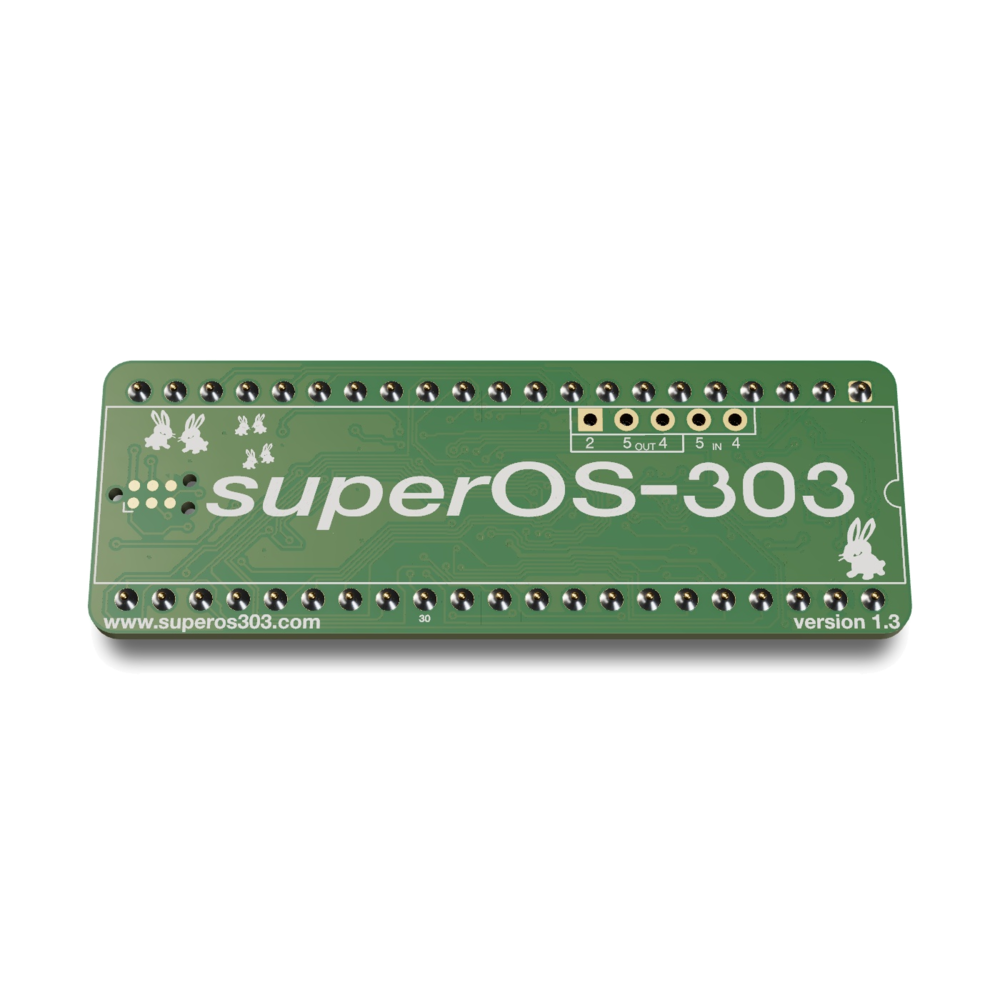
About superOS-303
superOS-303 is a new operating system for the TB-303. It replaces the original processor and keeps the way the instrument is played: the same panel, the same Pitch Mode and Time Mode, the same sound. It adds longer patterns, three variations per pattern, scales, probability, ratchets, chains, tracks, full MIDI and a web editor.
The firmware also holds D650C mode: the original TB-303 program, running on the new processor. Switch between the two from the panel at any time. Each keeps its own patterns.
Two Editions
superOS-303 comes in two editions. Everything in this manual applies to both, except the parts marked FRAM Edition.
| Edition | What it adds |
|---|---|
| Standard Edition | Everything not marked FRAM Edition. |
| FRAM Edition SuperOS CPU v1.3 | 512 KB FRAM memory, Time Scale, the Filter Lane with live cutoff over MIDI, and USB-C MIDI. |
How to Read This Manual
Panel Names
Controls are written in boxes, as they are printed on the panel: FUNCTION PITCH MODE TIME MODE CLEAR BACK WRITE/NEXT RUN/STOP DOWN UP ACCENT SLIDE.
- Pitch keys are the 13 keyboard keys, C to high C.
- Pattern keys 1–8 are the eight white keys. The white keys are pattern keys outside Pitch Mode.
- Black keys are C# D# F# G# A#.
- The Mode dial selects Pattern Write, Pattern Play, Track Write or Track Play. The Group dial selects group I–IV (and the track in the Track modes).
Key Combinations
FUNCTION + CLEAR means: hold the first control, then press the second. Tap means press and release quickly.
Works In
The black WORKS IN tab at the top of a section says where the function works: the Mode dial position, and whether the sequencer is running or stopped.
How Patterns Are Organized
| Level | How many | Selected with |
|---|---|---|
| Group | 4 (I–IV) | Group dial |
| Pattern | 8 per group | Pattern keys 1–8 |
| Section | 2 per pattern (A and B), up to 32 steps each | ACCENT = A, SLIDE = B |
| Variation | 3 per section | Hold WRITE/NEXT, press C D E |
That is 64 sections of up to 32 steps. Play sections A and B back to back in A/B mode for one pattern of up to 64 steps.
Preparing a Pattern
Pattern Write
| Operation | Result | Notes | |
|---|---|---|---|
| 1 | Set the Mode dial to Pattern Write. | The unit is ready to write. | Make sure the sequencer is stopped. |
| 2 | Choose a group with the Group dial. | Groups I–IV. | |
| 3 | Press a pattern key 1–8, then ACCENT for section A. | The pattern LED blinks. The A LED lights. | Press SLIDE instead to work on section B. |
| 4 | Hold the pattern key and press CLEAR. | PITCH MODE, TIME MODE and A# flash. | Either order works. The section is now empty and 8 steps long. |
Clearing erases the section's pitches, rhythm, ratchets, triplet and time scale settings, direction, scale, step probability and saved chain, and on the FRAM Edition its Filter Lane. A remembered A/B mode stays. With A/B mode on, both sections are cleared.
Writing Pitches
Pattern Write, stopped
| Operation | Result | Notes | |
|---|---|---|---|
| 1 | Press PITCH MODE. | The PITCH MODE LED lights. | |
| 2 | Press a pitch key for each note, in order. | Each note sounds and is written. The pattern gets one step longer for every note. | Hold an octave key while you press the pitch key (see below). |
| 3 | Hold ACCENT or SLIDE while you press a pitch key to add an accent or a slide. | Both can be held together. | |
| 4 | Press FUNCTION when you are done. | The PITCH MODE LED goes out. | The mode also ends by itself when the section is full (32 steps) or you reach the first note again. |
Octaves
| Hold while pressing a pitch key | Octave |
|---|---|
| DOWN | Low |
| Nothing | Middle |
| UP | High |
| DOWN + UP | Highest |
Moving Through the Notes
- WRITE/NEXT: press to hear the current note, release to move to the next one without changing it.
- BACK: go back one note.
- The pattern LEDs show where you are inside the current 8 steps. The black-key LEDs show how many pages of 8 the pattern has; the current page blinks.
From a MIDI Keyboard
While Pitch Mode is on, a note played on a MIDI keyboard replaces the note at the current step. Play harder (velocity 100 or more) to add an accent. Press WRITE/NEXT to move on to the next note.
Writing Rhythm
Pattern Write, stopped
| Operation | Result | Notes | |
|---|---|---|---|
| 1 | Press TIME MODE. | The TIME MODE LED lights. | |
| 2 | For each step press DOWN (note), UP (tie) or ACCENT (rest). | The step is written and the next step comes up. | A tie holds the note before it. |
| 3 | Write every step of the pattern. | The mode ends after the last step. | Press FUNCTION to leave early. |
The pattern is now written. Press RUN/STOP to hear it.
Moving Through the Steps
- WRITE/NEXT: move one step forward and hear it, without changing it.
- BACK: go back one step.
- SLIDE: add a ratchet to the current step (see Intermediate Course 6).
While you write, the DOWN UP ACCENT LEDs show what the current step holds.
Setting the Length
Pattern Write, running or stopped
A section can be 1 to 32 steps long (1 to 24 in triplets). Hold FUNCTION to see the length: the pattern LED shows the last step, the black-key LEDs show the pages it covers. Shortening a pattern never deletes anything; lengthen it again and the steps come back.
Set It Directly
Hold FUNCTION, press a black key for the page, then a white key for the step:
| Black key | Steps |
|---|---|
| C# | 1–8 |
| D# | 9–16 |
| F# | 17–24 |
| G# | 25–32 |
The current page is already chosen, so a white key alone sets a step on that page.
Step by Step, Double, Halve
| Hold FUNCTION and press | Length |
|---|---|
| WRITE/NEXT | One step longer |
| BACK | One step shorter |
| UP | Double. Past 32 steps, A/B mode turns on and section B is filled with a copy of section A. |
| DOWN | Halve |
Playing Patterns
Pattern Play or Pattern Write
Start and Stop
Press RUN/STOP. The pattern LED blinks in time. Tempo comes from the TEMPO knob, from DIN sync, or from MIDI clock.
Choosing a Pattern
- Stopped: a pattern key selects that pattern at once.
- Running, tap: the pattern plays next, when the current one ends. Its LED lights while it waits.
- Running, hold: the pattern plays and loops for as long as you hold the key.
- ACCENT selects section A, SLIDE section B (running: at the end of the pattern).
A/B Mode: 64-Step Patterns
Hold ACCENT and press SLIDE. Both section LEDs light and the pattern plays section A then section B as one pattern. The section that is playing blinks. Press ACCENT or SLIDE alone to leave A/B mode.
To remember A/B mode with the pattern: in Pattern Write, with A/B mode on, hold the pattern key and press FUNCTION. The pattern now starts in A/B mode whenever you select it. Do the same with A/B mode off to forget it, together with any chain saved on the pattern.
Changing Group
Stopped, the Group dial changes group at once. Running, turn the dial to look at another group and press a pattern key: that group and pattern play next.
Correcting Steps
While Stopped
Pattern Write, stopped, in Pitch Mode or Time Mode
Hold WRITE/NEXT on the step you want to change.
- Pitch Mode: a pitch key replaces the note (same octave). UP / DOWN move it an octave. ACCENT / SLIDE switch the accent or slide on and off.
- Time Mode: DOWN / UP / ACCENT make the step a note, tie or rest. SLIDE changes the ratchet.
- BACK goes back one step.
While Running
Pattern Write, running
Press PITCH MODE or TIME MODE. Your edits land on the step that is playing.
- Pitch Mode: a pitch key changes the playing note. UP / DOWN move it an octave. ACCENT / SLIDE switch the accent or slide.
- Time Mode: DOWN / UP / ACCENT write a note, tie or rest. SLIDE changes the ratchet.
- Press FUNCTION to stop editing.
Step Select
Pattern Write, running or stopped
Step Select lets you go straight to any step and change it, even while the pattern plays. Hold FUNCTION and press PITCH MODE to open it; press FUNCTION to close it.
- Pick a step: a black key picks the page of 8 (C# 1–8, D# 9–16, F# 17–24, G# 25–32), a white key picks the step. BACK lets go of it.
- The LEDs: a note is bright, a tie is dim, a rest is dark. The selected step blinks.
- Rhythm: press TIME MODE. DOWN / UP / ACCENT set note, tie or rest. SLIDE changes the ratchet.
- Pitch: press PITCH MODE, pick a note step and press WRITE/NEXT. Now a pitch key sets the note, UP / DOWN the octave, ACCENT / SLIDE the accent and slide. BACK returns to picking.
- Chains: when a chain plays, DOWN UP ACCENT SLIDE pick chain pattern 1–4 to edit.
- A/B mode: hold PITCH MODE or TIME MODE and press CLEAR to switch between section A and B.
Pattern Operations
Pattern Write, running or stopped
Hold CLEAR and press:
| CLEAR + | What it does |
|---|---|
| ACCENT | New random pattern (follows the scale, if one is on) |
| SLIDE | Mutate: makes 2 to 4 small random changes |
| DOWN / UP | Move the rhythm one step left / right (pitches stay) |
| PITCH MODE + DOWN / UP | Move the pitches one note left / right (rhythm stays) |
| BACK / WRITE/NEXT | Move the whole pattern one step left / right |
| F# | Reverse the pattern |
| G# | Reset all pitches to C (rhythm stays) |
| A# | Clear the rhythm (pitches stay) |
| PITCH MODE + C D E F G A | Randomize only the notes / octaves / accents / slides / all pitch data / the rhythm |
| PITCH MODE + C# D# F# G# FRAM Edition | Randomize the Filter Lane: value / keytrack / glide / all three |
None of these stop or move the playhead. Ratchets and probability move with their steps.
Copy and Paste
- Copy: hold CLEAR + C# and press a pattern key.
- Paste: hold CLEAR + D# and press a pattern key.
Copy and paste work within the current group and section (A or B), on variation 1.
Triplets
Pattern Write, Time Mode
Hold FUNCTION and press UP to switch the section between straight steps and triplets. The UP LED shows triplets while FUNCTION is held. A triplet section is up to 24 steps long; steps past 24 are kept for when you switch back.
Time Scale
FRAM EditionPattern Write, Time Mode
Play a pattern at half or double speed without touching the tempo. In Time Mode press TIME MODE again (its LED blinks), then press:
| Key | Speed |
|---|---|
| C | Normal |
| D | Half |
| E | Double |
Press TIME MODE to close. While running, the change waits for the end of the pattern (its key blinks until then). The setting is saved with the section.
Ratchets
Pattern Write, Time Mode or Step Select
A ratchet plays a note step 2 or 3 times in quick succession. Press SLIDE on a step to go through off, 2× and 3×. The SLIDE LED shows it: off, lit (2×) or blinking (3×).
Tap-Write
Pattern Write, running
Tap the rhythm in along with a metronome, the way you would play it. The pitches you wrote stay.
| Operation | Result | Notes | |
|---|---|---|---|
| 1 | With the pattern running, hold CLEAR and press TIME MODE. | The rhythm is cleared. The TIME MODE LED blinks. | Pitches are kept. |
| 2 | Wait for the start of the pattern. | The metronome clicks: a low click at the start of the pattern, a high click on every other step. | |
| 3 | Tap WRITE/NEXT on each note. | You hear the note. Hold the key longer for a longer note. | Hold a pattern key to tie through the gaps. |
| 4 | Keep playing. | After one full pass the take ends by itself. | A pass with no taps starts over. |
Doing the gesture again starts a new take. Stopping the sequencer or leaving Pattern Write ends it.
Chains
Pattern Play or Pattern Write
A chain plays up to four patterns one after another, then starts again.
Patterns Next to Each Other
Hold the first pattern key and press the last one. Every pattern in between joins the chain (up to four). Stopped, the chain starts when you let go. Running, it plays when the current pattern or chain ends.
Any Order
Hold ACCENT + SLIDE and tap up to four pattern keys in the order you want. The same pattern may appear twice. Let go to start the chain.
Saving a Chain
- Pattern Write: while holding the chain's pattern keys, press FUNCTION.
- Pattern Play: hold ACCENT + SLIDE and press WRITE/NEXT. With no chain playing, this forgets the saved chain.
The chain is saved with its first pattern. Selecting that pattern brings the chain back. Every start begins with the first pattern of the chain.
Playback Direction
Pattern Play or Pattern Write
Hold FUNCTION and press TIME MODE. The six direction keys light, the current one blinks. Press a key, then FUNCTION to close.
| Key | Direction |
|---|---|
| C | Forward |
| D | Reverse |
| E | Ping-pong: forward, then back |
| F | Random |
| G | Half random: half of the steps jump somewhere random |
| A | Brownian: each step moves one forward or one back at random |
While running, a new direction starts after one full length of the pattern. The random directions never slide. Variations 2 and 3 keep their own direction with the pattern.
Three Variations
Pattern Write
Every section holds three variations that play at the same time.
| Variation | Plays on |
|---|---|
| 1 | The TB-303 voice, and MIDI on the main channel |
| 2 | MIDI only, on its own channel (2 unless changed) |
| 3 | MIDI only, on its own channel (3 unless changed). Can play chords. |
To choose the variation you edit, hold WRITE/NEXT and press C, D or E. The chosen one blinks. Pitch Mode, Time Mode, Step Select, the CLEAR operations and the scale then work on that variation. Changing pattern returns to variation 1.
Each variation has its own notes, length and scale. All three follow the clock of variation 1, including its triplet and time scale settings.
Chords on Variation 3
Pattern Write, stopped
Variation 3 can play up to four notes on each step. To switch chord mode on or off, hold WRITE/NEXT, press E (variation 3) and press SLIDE. The SLIDE LED lights in chord mode.
Then press PITCH MODE to write chords:
- Pitch keys add or remove notes on the current step.
- UP / DOWN change the octave the keys play in.
- ACCENT / SLIDE set accent and slide.
- TIME MODE makes the step a note, tie or rest.
- WRITE/NEXT / BACK move to the next or previous step and play the chord.
Scales
Pattern Write
A scale moves every note of a pattern to the nearest note in that scale. It never changes what you wrote: switch the scale off and the original notes are back. Random patterns follow the scale too.
Hold FUNCTION and press ACCENT to open the scale editor.
- The lit pitch keys are the notes in the scale. Press C to B to add or remove a note.
- High C switches the scale on or off. Its LED is lit when the scale is on.
- Hold FUNCTION and press a note to load a ready-made scale on that root. Press the same note again for the next scale (35 in all).
- Tap FUNCTION to close.
Each variation has its own scale.
Step Probability
Pattern Write, variation 1
Give a step a chance of an accent, a slide, or an octave jump. The dice are rolled every time the step plays, so the pattern keeps changing.
Hold FUNCTION and press SLIDE to open the editor; press FUNCTION to close it.
| Operation | Result | Notes | |
|---|---|---|---|
| 1 | Pick the step: a black key for the page, a white key for the step. | The step blinks. | |
| 2 | Press ACCENT. | The ACCENT LED lights. | The chance starts at 13 out of 13: always. |
| 3 | Hold WRITE/NEXT, tap ACCENT, then press a pitch key. | The pitch LEDs show the chance as a bar. | C = 1 in 13 … high C = 13 in 13. |
| Key | Chance of |
|---|---|
| ACCENT | An accent |
| SLIDE | A slide |
| DOWN | Dropping one octave |
| UP | Jumping up. Press again to go from one octave to two (the LED blinks), and again for off. |
CLEAR + ACCENT, SLIDE, DOWN or UP sets random chances for that kind on every step; CLEAR + WRITE/NEXT does all four.
Filter Lane
FRAM EditionVariation 1, with the filter wire fitted at installation
The CPU can move the CUT OFF FREQ of the TB-303 by itself: live over MIDI, or from a lane of values that plays along with the pattern. It adds to the panel knob; the knob still sets where the filter sits.
Live over MIDI
Send CC 74 on the main channel, 1–127, to move the cutoff. CC 74 = 0 hands the filter back to the knob.
The Lane
Each step can have its own filter setting:
| Per step | What it does |
|---|---|
| Value (1–127) | The cutoff for this step. Plays only when the step is switched on. |
| Keytrack (1–127) | Opens the filter more for higher notes. |
| Glide | Slides smoothly into the next step's value. |
The pattern also has a default value and keytrack for steps without their own. Ties keep the setting of the note they hold. On a rest, and when the sequencer stops, the filter goes back to the knob.
Editing the Lane
Pattern Write
| Operation | Result | Notes | |
|---|---|---|---|
| 1 | Hold FUNCTION, press PITCH MODE. | Step Select opens. | |
| 2 | Pick a note step and press WRITE/NEXT. | The note editor opens. | |
| 3 | Press PITCH MODE. | The PITCH MODE LED blinks: you are editing the filter. | Press PITCH MODE again to go back to the note. |
| Key | Action |
|---|---|
| C# / D# | Edit this step's value / keytrack |
| FUNCTION + C# / D# | Edit the pattern's default value / keytrack |
| F# / G# / A# | Choose the hundreds / tens / ones digit |
| White keys 1–8, DOWN, UP | Type the digit 1–8, 9, 0 |
| FUNCTION + UP / DOWN | Value up / down by one |
| ACCENT | Switch the step on or off |
| SLIDE | Glide on or off |
| WRITE/NEXT / BACK | Next / previous step |
| CLEAR + C# / D# / SLIDE / WRITE/NEXT | Randomize values / keytrack / glide / all |
Transpose and Force Accent / Slide
Transpose
Pattern Play
Hold PITCH MODE and press a pitch key: the pattern plays transposed to that key (low C = no change). While holding PITCH MODE, each press of UP or DOWN moves the transpose one octave, from one octave down to two up. While running the change starts at the end of the pattern. Selecting another pattern resets the transpose.
Force Accent and Force Slide
Pattern Play or Track Play, running
Hold PITCH MODE together with ACCENT to accent every step, or with SLIDE to slide every step, for as long as you hold them. This affects the TB-303 voice only.
Keyboard Play
Pattern Play, running or stopped
Play the TB-303 from its own keys. Hold FUNCTION and press PITCH MODE to switch it on; press FUNCTION to switch it off.
- Overlapping keys slide from one note to the next.
- Hold ACCENT or SLIDE while playing to accent or slide.
- Tap DOWN / UP to change octave. Press TIME MODE to make the octave keys work only while held (TIME MODE LED off).
- The notes are sent over MIDI as well.
Tracks
A track is a song: a list of up to 64 bars, each one pattern with its own transpose. There are 8 tracks. In the Track modes the Group dial picks the track; each track uses the patterns of one group.
Writing a Track
Track Write
| Operation | Result | Notes | |
|---|---|---|---|
| 1 | Set the Mode dial to Track Write and pick a track with the Group dial. | ||
| 2 | Press RUN/STOP and choose a pattern with a pattern key. | The pattern plays (a new choice waits for the end of the bar). | ACCENT / SLIDE pick section A or B. |
| 3 | Press WRITE/NEXT. | The playing pattern is written into the current bar; the next bar comes up. | To transpose a bar, hold PITCH MODE and press a pitch key. |
| 4 | For the last bar press CLEAR, then WRITE/NEXT. | The bar is written and marked as the end. | |
| 5 | Press RUN/STOP. | The track is saved. |
Stopped, WRITE/NEXT and BACK step through the bars and CLEAR returns to bar 1.
Playing a Track
Track Play
Press RUN/STOP. The track plays bar by bar and starts again after the last bar. Stopped, CLEAR returns to bar 1.
D650C Mode
D650C mode runs the original TB-303 program on the new processor, so the instrument behaves exactly like a stock unit. Its patterns are kept apart from the superOS patterns.
- Switching: in superOS, open the settings menu and press G#. In D650C mode, open its menu and press G# to come back. Both modes save before switching.
- First use: the original program has to be loaded once from the web editor. Until then the low and high C LEDs blink in turn.
D650C Menu
Hold FUNCTION and press CLEAR. The music pauses while the menu is open.
| Control | Setting |
|---|---|
| Pattern keys 1–8, D# | MIDI channel, as in superOS |
| TIME MODE | Clock: internal, MIDI, DIN sync (press to step through) |
| ACCENT | MIDI thru |
| A# held + UP / DOWN | LED brightness |
| G# | Back to superOS |
MIDI
MIDI works over the MIDI IN and OUT jacks. The FRAM Edition also has USB-C MIDI FRAM Edition: it appears on a computer as a MIDI device named “SuperOS-303”, no driver needed. Both work at the same time.
Received
| Message | What it does |
|---|---|
| Notes (stopped) | Play the TB-303 voice. Velocity 100 or more accents; overlapping notes slide. |
| Notes (Pitch Mode) | Replace the note at the current step. |
| CC 0, CC 32, Program Change 0–7 | Select a pattern: CC 0 = group (0–3), CC 32 = section (0 = A, 1 = B), then Program Change = pattern 1–8. It switches at once. |
| CC 74 FRAM Edition | Filter cutoff, 1–127. 0 returns the filter to the knob. |
| Clock, Start, Stop, Continue | Followed when MIDI clock is on in the settings menu. |
Sent
- Variation 1 on the main channel, variations 2 and 3 on their own channels. Accent = velocity 127, otherwise 80. Slides overlap the notes.
- With the internal clock: Start, Stop and Clock.
Web Editor
The free editor at superos303.com/editor connects to the unit over MIDI in a desktop browser. Use it to edit patterns, variations, chords, probability and the Filter Lane on screen, to back up and restore all patterns, to load the original program for D650C mode, and to update the firmware. SysEx must be on in the settings menu (F# lit).
Saving and Memory
There is no save button. Everything is saved automatically:
- when the sequencer stops,
- about two seconds after your last edit while stopped,
- after edits from the web editor,
- before switching to D650C mode or updating the firmware.
| Edition | Memory |
|---|---|
| Standard Edition | The processor's own flash memory. |
| FRAM Edition | 512 KB FRAM on the board. Saving never interrupts the music and the memory does not wear out. No battery. |
Updating the Firmware
| Operation | Result | Notes | |
|---|---|---|---|
| 1 | Back up your patterns with the web editor. | ||
| 2 | Hold WRITE/NEXT while switching the power on. | The PITCH MODE, TIME MODE, FUNCTION and A# LEDs light: the unit is ready for an update. | On the FRAM Edition the web editor can also do this step for you. |
| 3 | Send the update file from the web editor. | The update installs and the unit restarts. | Over the MIDI jacks, or USB-C on the FRAM Edition. Do not switch off during the update. |
Quick Reference
| Gesture | Function |
|---|---|
| Pattern Write | |
| Pattern key + CLEAR | Clear the section |
| PITCH MODE | Write pitches |
| TIME MODE | Write rhythm |
| TIME MODE in Time Mode FRAM Edition | Time scale |
| FUNCTION + black key, white key | Set the length |
| FUNCTION + WRITE/NEXT / BACK | Length +1 / −1 |
| FUNCTION + UP / DOWN | Double / halve the length |
| FUNCTION + UP in Time Mode | Triplets on / off |
| FUNCTION + PITCH MODE | Step Select |
| FUNCTION + ACCENT | Scale editor |
| FUNCTION + SLIDE | Step probability |
| WRITE/NEXT held + C D E | Pick variation 1 / 2 / 3 |
| CLEAR + TIME MODE (running) | Tap-write |
| CLEAR + … | Pattern operations (Intermediate Course 3) |
| Pattern key + FUNCTION | Remember / forget A/B mode and chain |
| Playing | |
| ACCENT / SLIDE | Section A / B |
| ACCENT + SLIDE | A/B mode |
| Hold one pattern key, press another | Chain |
| ACCENT + SLIDE held, tap pattern keys | Chain in any order |
| FUNCTION + TIME MODE | Playback direction |
| Pattern Play | |
| PITCH MODE + pitch key | Transpose |
| PITCH MODE + ACCENT / SLIDE (running) | Force accent / slide |
| FUNCTION + PITCH MODE | Keyboard play |
| ACCENT + SLIDE + WRITE/NEXT | Save the playing chain |
| Anywhere | |
| FUNCTION + CLEAR | Settings menu |
| WRITE/NEXT held at power-on | Firmware update |
Specifications
- Patterns4 groups × 8 patterns × 2 sections = 64 sections. Each section 1–32 steps (24 in triplets); A/B mode plays 64.
- Per stepPitch over four octaves, accent, slide, note / tie / rest, ratchet (2× or 3×), probability.
- Variations3 per section. Variation 1 on the TB-303 voice and MIDI, 2 and 3 on MIDI. Variation 3 plays chords of up to 4 notes.
- Scales12-note scale per variation, 35 ready-made scales.
- Playback6 directions, chains of up to 4 patterns, 8 tracks of up to 64 bars.
- MIDIDIN in and out; USB-C on the FRAM Edition. 3 note channels, clock in and out, pattern select, MIDI thru.
- SyncTEMPO knob, DIN sync or MIDI clock.
- FilterFRAM Edition: cutoff from MIDI CC 74 or a per-step lane with keytrack and glide.
- MemoryStandard Edition: on-chip flash. FRAM Edition: 512 KB FRAM, no battery.
- ModessuperOS and D650C mode (the original TB-303 program).